
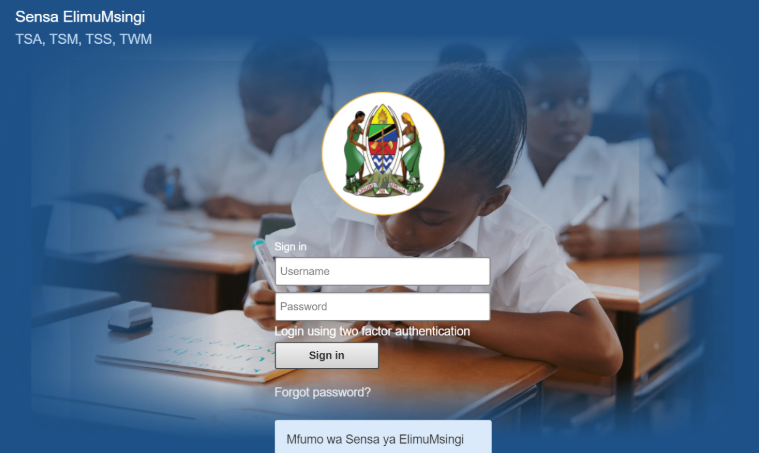

Sensa Elimu Msingi Login 2026/2027 (TSA, TSM, TSS, TWM)
Sensa Elimu Msingi Sign In (TSA, TSM, TSS, TWM) SensaElimuMsingi.tamisemi.go.tz Sensa Elimu Msingi Sign In (TSA, TSM, TSS, TWM)
SensaElimuMsingi.tamisemi.go.tz Sensa ElimuMsingi (TSA, TSM, TSS, TWM) For public and private schools in Tanzania, managing statistical details and accessing vital information can sometimes feel like navigating a maze. Thankfully, the Sensa ElimuMsingi (TSA, TSM, TSS, TWM) platform simplifies this process by offering a centralized online statistical portal. https://sensaelimumsingi.tamisemi.go.tz/
How register to Sensa ElimuMsingi (TSA, TSM, TSS, TWM)
If you aren’t registered yet, don’t worry! Registration is a simple process too. Once registered, you’ll have access to a host of services offered by Sensa ElimuMsingi (TSA, TSM, TSS, TWM) . Let’s navigate through the pathway to become part of the seamless digital workplace.
Prerequisites for registration
For an effortless registration, be sure to have these details handy:
i. An active email address that will be used to create your username.
ii. Your Full name (Three names as it appears on your educational certificates)
iii. Contact and personal details that means your active phone number
iv. NIN – You must have a national identification number (NIDA Number)
v. Active education institution such as registered education center or school.
NB: Registration for Sensa ElimuMsingi (TSA, TSM, TSS, TWM) done by the District IT who will provide you a Username and Password for you to access the platform.
Registration process
1. Visit the Sensa ElimuMsingi (TSA, TSM, TSS, TWM) Portal: https://sensaelimumsingi.tamisemi.go.tz/
2. Enter Username (That the District IT provided to you)
3. Enter Password (That the District IT provided to you)
4. Click on the Sign in Button: After entering your credentials, click on the “Login” button to access the system.
5. Click On Data Entry and the new tab will open.
6. Select you school at the left side area and the you will select:
i. Organization Unit i.e your school
ii. Data Set i.e select if you work with TSA, TSM, TSS or TWM
iii. Period i.e select year that you want to enter or view data
Then Continue entering data to the spaces provided.
CLICK HERE FOR: Sensa Elimu Msingi
Sensa Elimu Msingi Forgot password?