CHAPTER 5 COMPUTER CODING – SCIENCE STD 5
Computer programs consist of a set of instructions, which are also known as statements. In a program, statements are organised in different control structures such as sequence, repetition and decision.
The control structures enable a computer to accept data, perform calculations and show results. In this chapter, you will learn more about the sequence, repetition and decision control structures used to create simple games.
In addition, you will learn about the concept of variables and operators in a program. The competencies acquired will enable you to create simple and interactive games.
Sequence control structure
In a sequence control structure, program statements occur and are performed in a sequence. This means the first statement is performed first, followed by the second and so on. The statements are performed in this order until the last statement. This control structure is used when a task to be performed consists of steps that must be performed in a specific order
A good example of a task that is performed in steps that follow a specific order is growing crops. In growing crops, the order of steps is
- Preparing the land
- Sowing seeds
- Weeding
- Harvesting
Notice that these steps must be performed in this order for the task to be completed. For example, you cannot begin with sowing seeds and then prepare the land; this will prevent the seeds from germinating
This idea of performing tasks in sequence also applies to tasks performed by computer programs. In Scratch, sequence control structure command the order of execution, where code blocks are run one after another, from top to bottom, creating a sequential flow
1. Demonstrates the use of the sequence control structure in the steps for drawing a rectangle shape
Draw a rectangle using sequential instructions.
Steps
1. Click the Motion block.
2. Choose the following blocks:
(a) move (100) steps
(b) turn (90) degrees
(c) move (50) steps
(d) turn (90) degrees
(e)move (100) steps
(f) turn (90) degrees
(g) move (50) steps
(h) turn (90) degrees
Code Blocks

EXERCISE 1
- Identify three tasks in your everyday life that are done sequentially
- Explain the meaning of sequence in coding
- Create the sequential steps for drawing a triangle
Variables and operators
Most computer programs that are used in our everyday lives perform various types of calculations. For example, computer programs used by banks and supermarkets perform numerous calculations involving numbers that represent money and groceries
Suppose you go to a supermarket and buy three pens at 300/= shillings each, a ruler for 500/= shillings and two sweets at 100/= shillings each and pay using 2000/= shillings note. The computer program at the supermarket shall calculate the total amount you have to pay for the items (that is, 1600/= shillings) and the change you should receive (that is, 400/= shillings). This shopping list is summarized in the table below
Table shopping list

In this example, each purchased item (pen, ruler and sweets ) is associated with two numbers: the quantities bought and the price per item. In order for the computer program to perform this calculation, a way to represent these quantities is needed. The representation of these quantities in the program is done through variables
A computer program can have any number of variables. Each variable is identified by a name and it can hold different values while the program is running. Examples of variables that we can create from the above example include. NumberOfpens(value = 3), penPrice(value=300), and RulerPrice(value = 500) It is recommended that, name the variables using names that remind you of what quantity the variable represents in our everyday lives
Scratch program allows to create and use variables. Before you can use a variable in Scratch, you must create it. Once you are done with it you can delete it. Follow the steps in activity 2 to learn how to create, rename and delete
2. Creating, renaming, and deleting variables in Scratch
(a) Creating variables
Steps
1. Go to the Variables block.
2. Click Make a Variable. See Figure 2 (a).
3. Enter the name of the variable in the dialog box that appears.
Remember to give the variable a name that remind you of what quantity the variable represents. Example number1, score, name, time, NumberOfPens and PenPrice.
4. Choose whether the variable is for all sprites or only for this sprite.
See Figure below.
5. Click Ok to create and save the variable. See Figure 2 (c).


NOTE: You can click again the Make a Variable box to create other new variables as needed for your task.
(b) Renaming or deleting variables
Steps
1. Right click the variable you wish to rename or delete.
2. Select Rename variable and enter the new name to rename the variable.
3. Select Delete the name of variable to delete the variable. See Figure

Once a variable has been created, it can be used in different places in a program. Consider the previsions example of a computer program used in supermarkets; Variables can be used in the calculation of the amount due for each item, the total price for all the items, and the change you are to receive.
For example, when calculating the amount due for 3 pens, the calculating could be expressed as Pen Price *Number Of Pens, where Pen Price and Number Of Pens represent the price of each pen (which is 300) and the number of pens purchased (which is 3), respectively
Notice that in calculations, the arithmetic operator * is used to represent multiplication instead of X used in mathematics.
Other arithmetic operators you can use include: addition (+), subtraction (-), division (/) and modulus (%). In addition to arithmetic operators, programs also use comparison operators such as less than (<), greater than (>) and equal to (=). There are also logical operators, include and, or and not
The following activities demonstrate the use of variables and operators in performing calculations
CLICK HERE TO SEE MORE GAMES ON TIE BOOK
3. Repetition control structure
Some tasks require a specific action to be performed repeatedly before the final result can be obtained. In coding, this is known as repetition or looping.
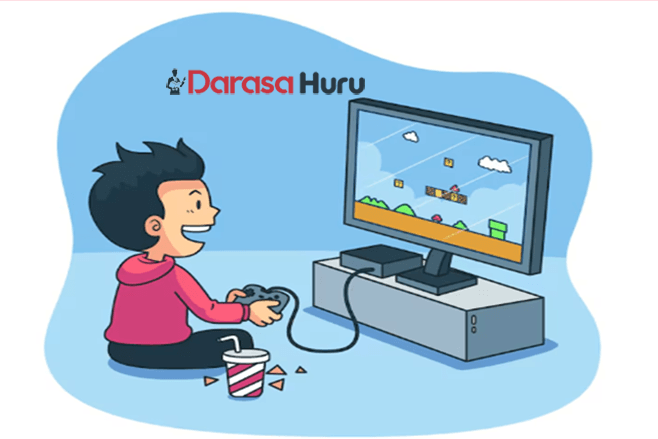
Consider the following tasks in a game:
(a) Moving a sprite to a location ten steps to the right.
(b) Moving a sprite to the right until it reaches the edge.
(c) Playing a sound while the game is playing.
All of these tasks require an action to be performed repeatedly before the final result can be obtained.
- To perform the first task, the sprite moves one step to the right (repeat this ten times) until it reaches the desired location.
- In the second task, the sprite moves to the right until it reaches the edge.
- In the third task, the action repeated is play a sound.
The sprite plays the desired sound repeatedly until the game ends. So, as long as the game is playing, the sound will play.
CLICK HERE TO SEE MORE GAMES ON TIE BOOK
4. Decision control structure
Some tasks require a program to choose between different actions depending on a condition. In coding, this is known as decision making or selection.
Consider the following tasks in a game:
(a) If the sprite touches the edge of the stage, it changes its colour.
If the number is even, say The number is even, else say The number is odd
All these tasks require the program to make decisions.
- In the first task, the program has one choice to change its colour if the edge is touched.
- In the second task, the program has two choices, to either say The number is even or The number is odd.
- To make simple decisions in Scratch, the if () then block is used.
Similarly, to decide between two choices, the if () then else block is used. These blocks are shown in Figure below.

For a program to make a decision, it needs prior information. This information is known as a condition for the decision control structure and it is placed in the hexagon found at the upper part of the block.
CLICK HERE TO SEE MORE GAMES ON TIE BOOK
Project
Create a quiz game that is fun and interactive for users to test their knowledge on numbers.
Note: The game should involve asking the user a question and provide feedback on whether the answer is correct or incorrect.
5. Drawing shapes in Scratch
Shapes are among the objects used to create simple and interactive games.
To draw shapes in Scratch, you have to add the Pen extension.
To add the Pen extension follow the following steps.
1. Click the Add Extension icon at the bottom left corner. See Figure (a)
2. Click the Pen extension to add it to your programming palette. See Figure (b)


REVISION EXERCISE – CHAPTER 5 COMPUTER CODING
Choose the correct answer.
1. What is the meaning of control structure in computer coding?
(a) A game controller
(b) A part of a computer mouse
(c) A way to control how a program runs
(d) A tool to draw lines and shapes
2. What does the sequence structure do in a program?
(a) Makes random choices
(b) Skips some steps
(c) Repeats the same steps
(d) Runs steps one after another in order
3. What is a repetition in coding?
(a) Doing steps in order
(b) Doing something again and again
(c) Making a choice between two things
(d) Ending the program
4. What does a decision structure do in a program?
(a) Repeats a step
(b) Runs steps randomly
(c) Makes a choice based on a condition
(d) Stops all actions
5. What kind of control structure is this: If the score is more than 90, show a Well-done message?
(a) Sequence
(b) Repetition
(c) Decision
(d) Loop
Glossary
Condition is an event that is used for controlling the decision and repetition control structures
Loop is a program control structure used for repeating actions
Modulus is the remainder when you divide two (2) numbers
Operator is a symbols that are used to represent mathematical calculations in a program, for example, addition (+)
Variable is a word that is used to represent the value of a quantity in a program