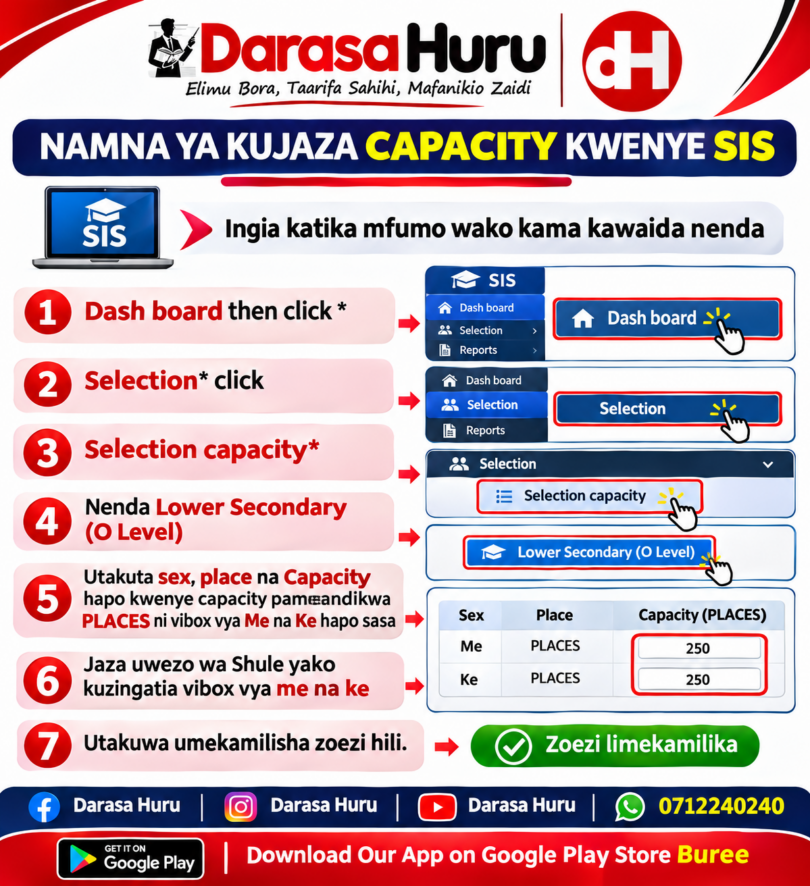
NAMNA YA KUJAZA CAPACITY KWENYE SIS TANZANIA
How to Fill Capacity on SIS Tanzania,
What is Capacity on SIS Tanzania?
Capacity in the School Information System (SIS – TAMISEMI) refers to the number of students a school or class can accommodate.
When entering capacity information, use the actual available facilities and the approved or planned student enrolment figures. Do not enter estimated figures as actual enrolment.
STEPS HOW TO FILL CAPACITY ON SIS
Log in to your system as usual, then go to:
1: Visit the official SIS website: SIS Tanzania
- Enter your username/email and password.
- Click LOGIN.
- Open the school management dashboard.
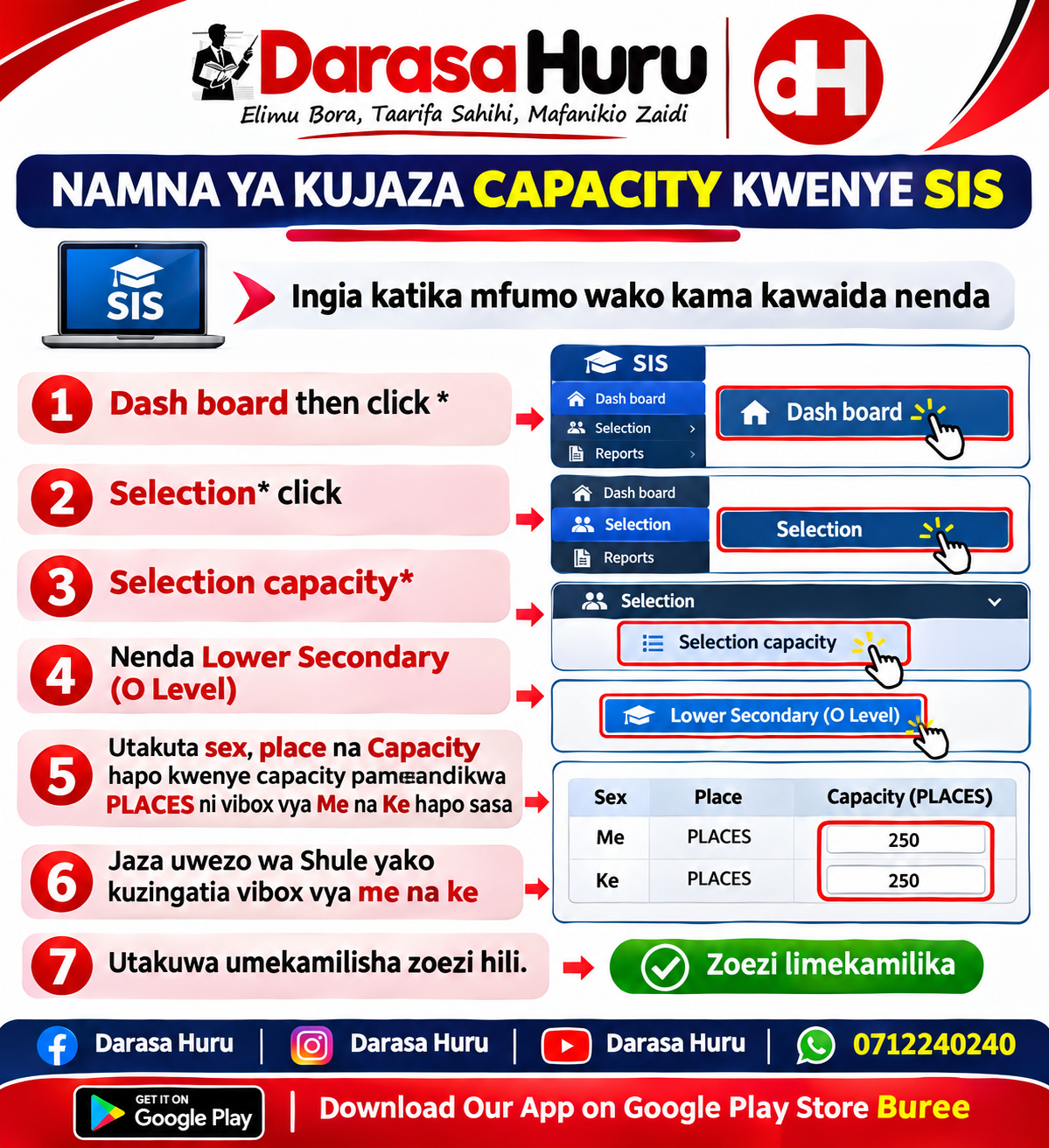
2: Click Dash Board then
3: Click Selection then
4: Click Selection Capacity
5: Nenda Lower Secondary (O Level)
6: You will find ‘sex’, ‘place’, and ‘capacity’—under ‘capacity’, it says ‘PLACES’, and there are checkboxes for ‘Male’ (Me) and ‘Female’ (Ke).
7: Jaza uwezo wa Shule yako kuzingatia vibox vya me na ke
- Enter the correct capacity figure.
- Review the information.
- Click Save, Submit or Update, depending on the form.
- Confirm that the information has been saved.
For technical assistance, SIS TAMISEMI lists support phone 0735 160 210
CLICK HERE TO LOG IN