TOPIC 6 COMPUTER SYSTEM MAINTENANCE
CONCEPT OF COMPUTER SYSTEM MAINTENANCE
Computer system maintenance is the process of inspecting, cleaning, repairing, updating, and managing computer hardware and software to ensure reliable and efficient operation. Maintenance can be planned or unplanned depending on the type of problem. It helps to detect faults early, protect data, and extend the life of computer systems.
Examples
Examples of maintenance include cleaning dust from system units, updating operating systems, scanning for viruses, replacing damaged cables, and backing up data.
Practical Activity
Observe a computer in your school laboratory and identify maintenance activities that have been performed on it.
Scenario Question
A computer laboratory experiences frequent system crashes. Explain how proper computer system maintenance can solve this problem.
TYPES OF COMPUTER SYSTEM MAINTENANCE
Computer system maintenance is divided into three main types as follows.
A. PREVENTIVE MAINTENANCE
Preventive maintenance refers to maintenance activities carried out regularly to prevent computer problems before they occur. It aims at reducing the chances of system failure and improving performance.
Preventive maintenance includes the following.
1. Cleaning computer hardware
Dust and dirt are removed from keyboards, monitors, system units, and printers to prevent overheating and hardware damage.
2. Updating software and operating systems:
Software updates fix bugs, improve performance, and enhance security.
3. Installing and updating antivirus software
Antivirus programs protect computers from viruses, worms, and malware.
4. Checking cables and power connections
Loose or damaged cables can cause power failure or hardware malfunction.
5. Using power protection devices
Devices such as UPS and surge protectors prevent damage caused by power fluctuations.
6. Backing up data regularly
Backups ensure that data can be recovered in case of system failure or data loss. Examples Scheduling weekly antivirus scans and cleaning computer components monthly are preventive maintenance activities.
Practical Activity
Perform a virus scan and clean external parts of a computer safely.
Scenario Question
Explain how failure to update antivirus software can affect a computer system.
B. CORRECTIVE MAINTENANCE
Corrective maintenance is the maintenance performed after a computer system has developed a fault. It focuses on identifying and fixing problems to restore normal operation.
Corrective maintenance includes the following.
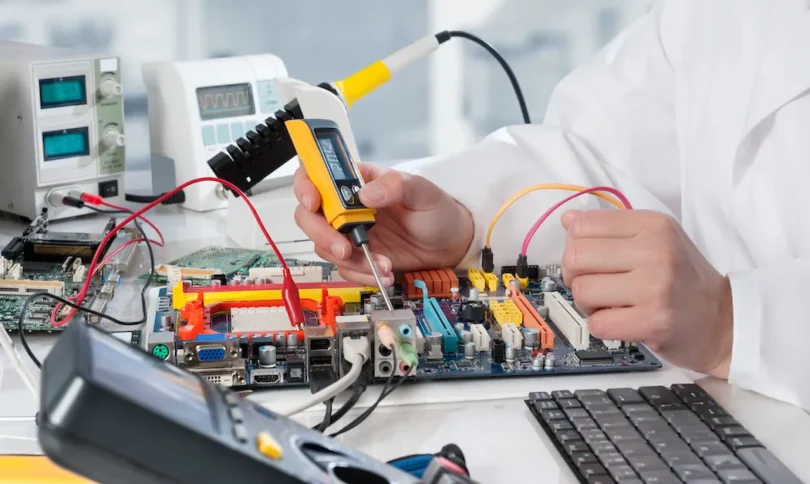
1. Repairing faulty hardware components
Damaged components such as keyboards, mouse, hard disks, or monitors are repaired or replaced.
2. Reinstalling or repairing software
Corrupted software or operating systems are reinstalled to fix errors.
3. Removing viruses and malware
Special tools are used to clean infected systems.
4. Fixing system errors and failures
Errors such as booting problems, application crashes, or system freezing are corrected.
5. Restoring lost data
Data is restored from backups after system failure.
Examples: Replacing a damaged power supply or reinstalling Windows after system corruption.
Practical Activity
Identify a faulty computer component and explain steps to correct the problem.
Scenario Question
A computer fails to boot after a virus attack. Explain corrective maintenance steps to solve the problem.
C. ROUTINE MAINTENANCE
Routine maintenance refers to simple maintenance tasks carried out frequently during normal computer use. These activities help maintain system efficiency and stability. Routine maintenance includes the following.
1. Proper startup and shutdown procedures
Correct startup and shutdown prevent system and data damage.
2. Disk cleanup
Unnecessary files are removed to free storage space.
3. Disk defragmentation
Files are reorganized to improve system speed.
4. Checking system storage capacity
Ensuring adequate free space prevents system slowdown.
5. Monitoring system performance
Regular checking helps detect problems early.
Examples
Running disk cleanup weekly and shutting down computers properly after use.
Practical Activity
Carry out disk cleanup and defragmentation on a computer.
Scenario Question
Explain the effects of ignoring routine maintenance on computer performance.
IMPORTANCE OF COMPUTER SYSTEM MAINTENANCE
Computer system maintenance is important because it.
1. Improves system performance and speed
2. Prevents unexpected system breakdown
3. Extends the lifespan of computer hardware
4. Protects data from loss and damage
5. Reduces maintenance and replacement costs
6. Enhances system security
7. Ensures reliable computer operation